mywo.fi User Manual
Welcome to mywo.fi documentation, your all-in-one platform for managing and enhancing your WoFi experience!
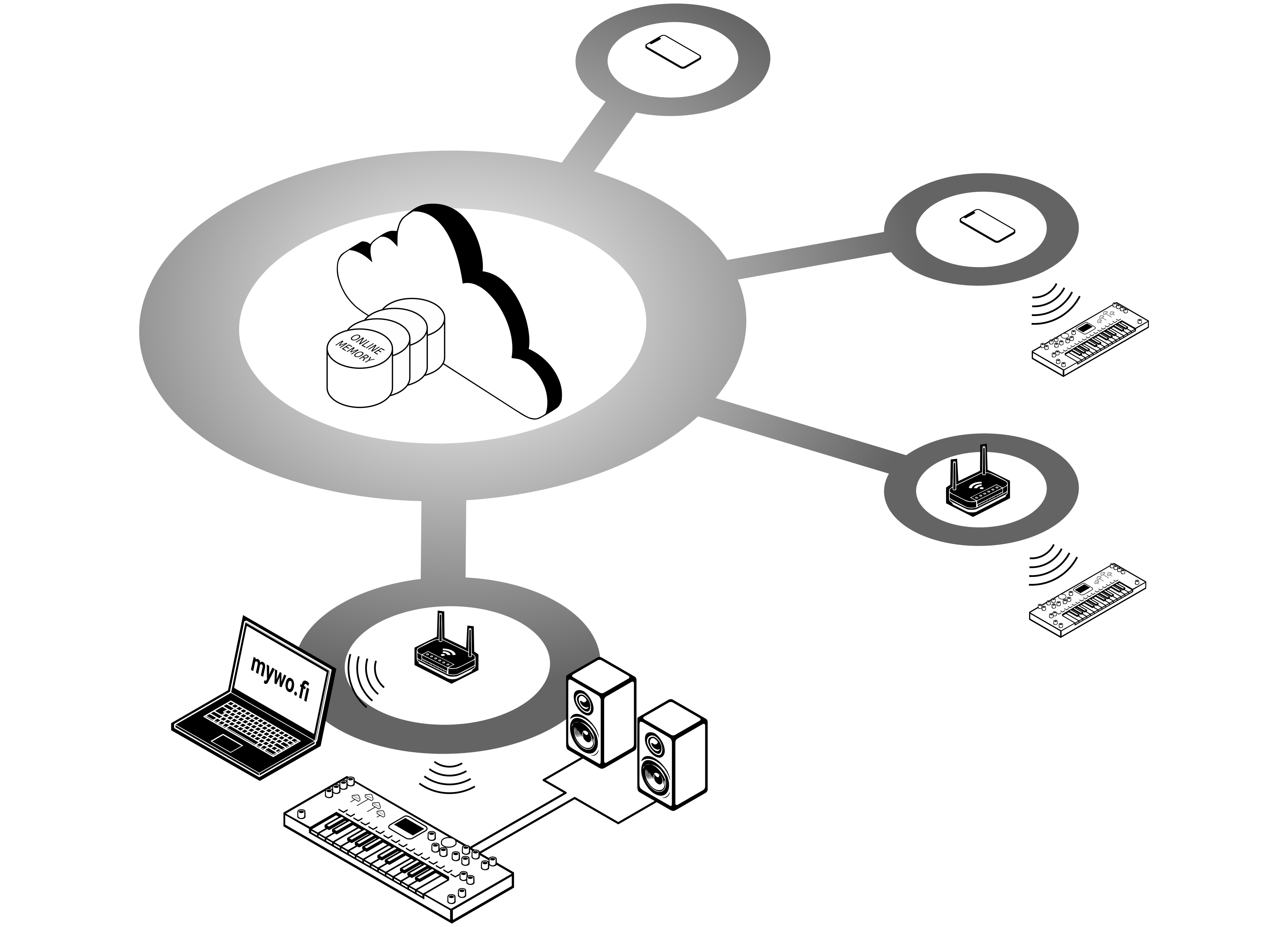
Whether you’re here to manage your WoFi devices, explore new sounds, or connect with a creative community, you’ve come to the right place.
Things you can do on mywo.fi
- Manage Your Devices: Keep your WoFi devices updated with the latest firmware, and easily upload or download samples directly to your device.
- Organize and Modify Your Private Library: Take full control of your sound collection. Our AI-powered tools assist you in organizing and refining your private library, helping you manage your samples efficiently and tailor them to your unique style.
- Upload and Share Samples: Bring your creativity to life by uploading your samples. Share them with the community or keep them private for your own use.
- Purchase New Soundbanks: Expand your sound library by purchasing high-quality soundbanks that perfectly match your musical needs.
- Connect with the Community: Join a vibrant network of musicians, producers, and sound enthusiasts. Share your work, get feedback, and collaborate on exciting projects.
Explore the full potential of mywo.fi today! Whether you’re managing your devices, using AI to organize your private library, or discovering new soundscapes, we’re here to support your creative journey every step of the way.
Different views of mywo.fi
Once you’ve connected and registered your WoFi device, you’ll be taken to the Library view. From here, you can switch between different views using the buttons available in the top right corner:
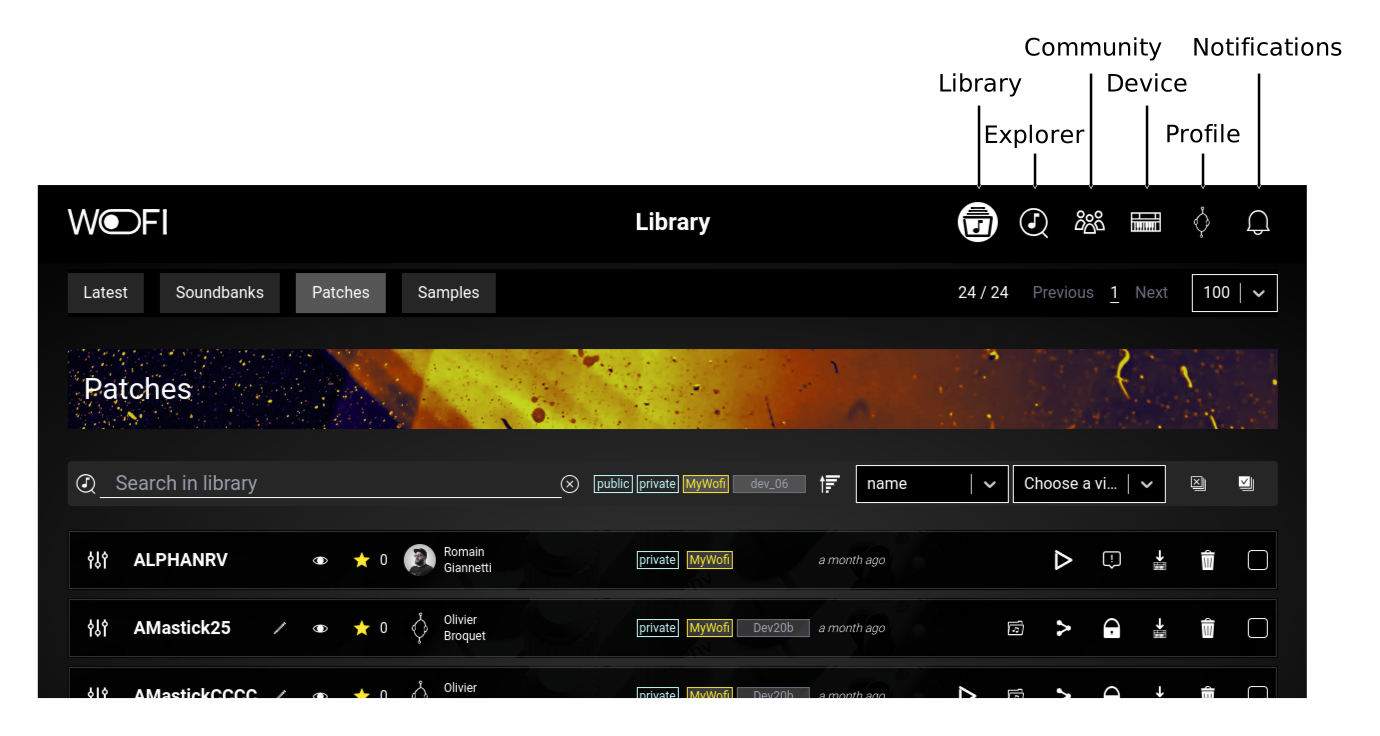
Here is a description of this different view:
- Library: Your personal hub for storing, organizing, and modifying all the samples you own.
- Explorer: Discover new samples along with soundbanks and curated collections.
- Community: Connect, share, and collaborate with other musicians and sound enthusiasts.
- Device: Manage your WoFi devices, update firmware, and sync samples.
- Profile: Customize your account settings and preferences.
- Notifications: Stay updated with the latest alerts, messages, share, and activities linked to you.
Getting started
You just received a WoFi device, in order to use it with mywo.fi platform, you first need to pair it to your account:
- make sure you have your battery full charged, or plug the AC adapter to no interrupt the process
- create your mywo.fi account if not already done
-
on your WoFi:
- enable the WiFi in Settings > Network > Wifi
- setup the WiFi in Settings > Network > Setup network
-
pair to your account
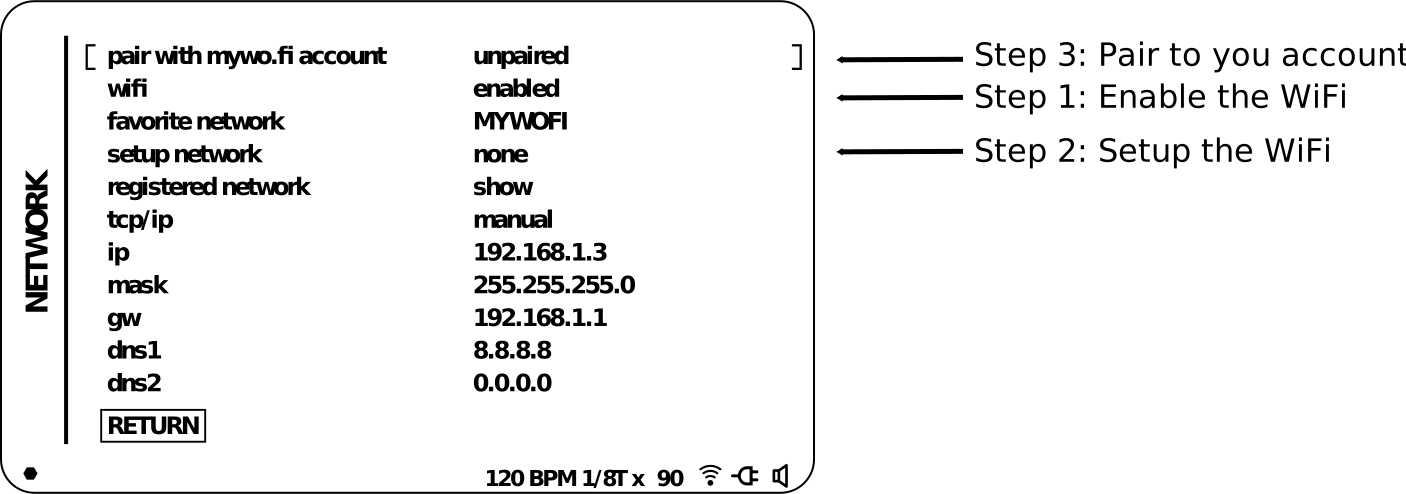
-
using a smartphone:
-
display the pairing QR-code (Step 3 above)
-
scan the QR code:
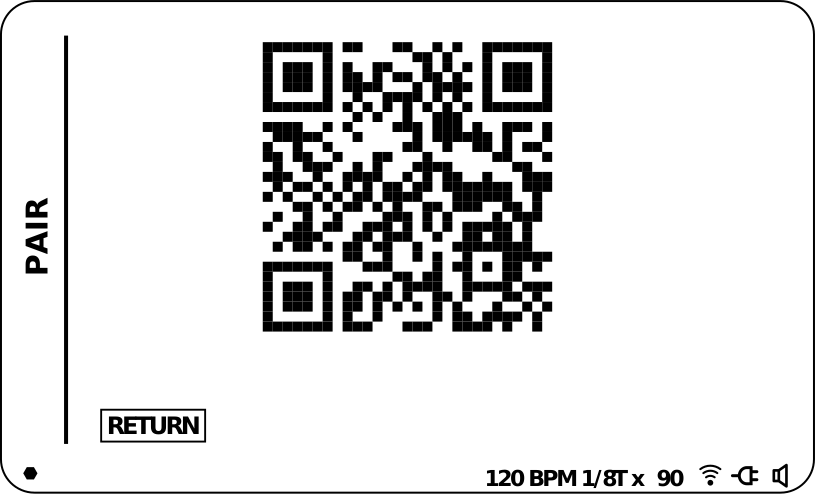
- connect to your account and follow the process
-
-
using a computer:
- display the URL using Menu button:
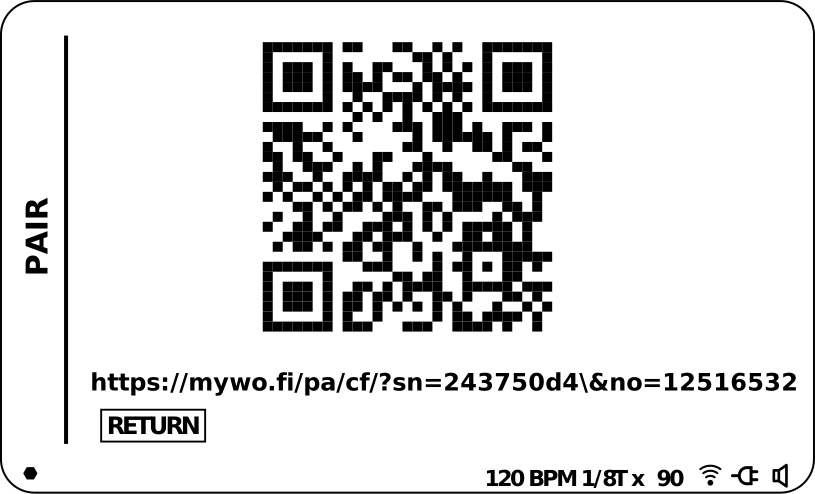
- type the adress into the browser
- connect to your account and follow the process