Samples
Overview
A sample is a digital recording of a sound that can be manipulated and played back in various ways. Samples are the fundamental elements in samplers and digital audio workstations.
In the WoFi the samples are the raw sound material, they can be looped, stretched, and pitched.

The Samples tab allows you to browse and manage all of your samples associated to your account:
- your own samples located in the server
- the samples located in your device
- the samples that are shared to you
- the public samples you added to your library
It is possible from this view to create new, edit and remove samples.
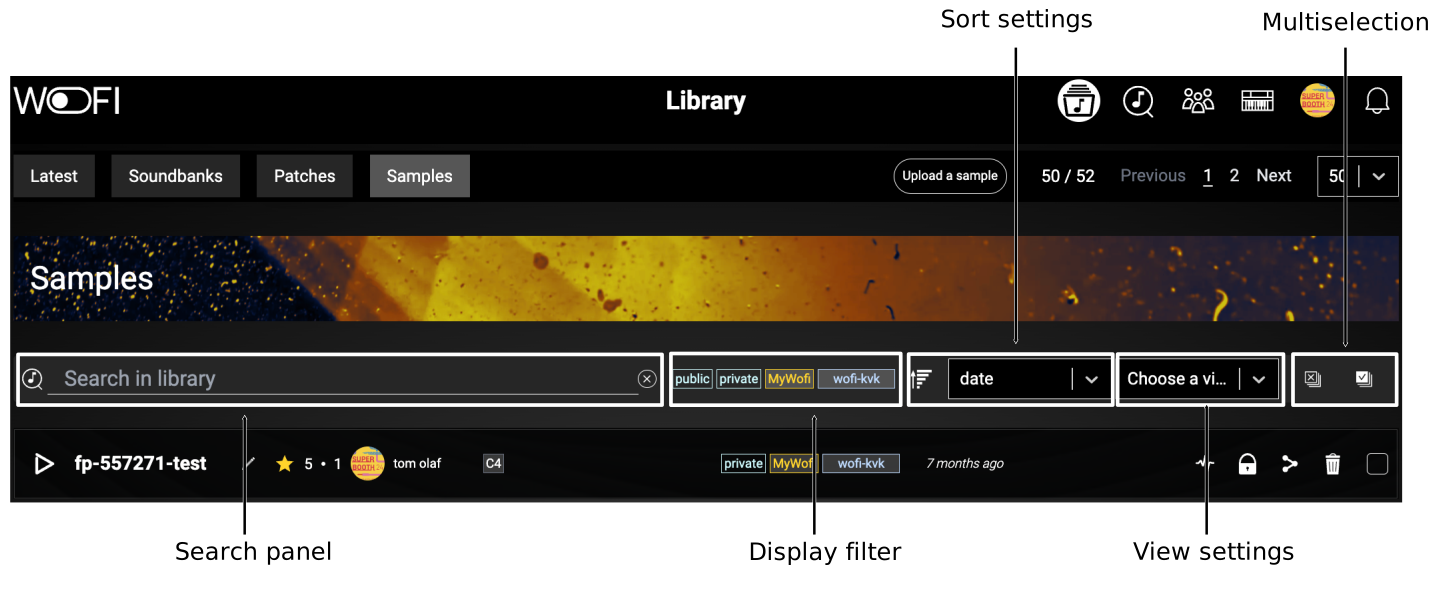
Samples actions
| Icon | Name | Description |
|---|---|---|
 |
Play | Play the sample. |
 |
Share | Share the sample with users or groups. |
 |
Recommend | Recommend the sample or its creator to friends. Reminder : You can only recommend a public resource. |
 |
Edit sample | Display the sample editor for the selected sample. |
 |
Edit metadata | Edit the samplemetadata. |
 |
Publish | Switch status to public. |
 |
Report | Report an offensive content. |
 |
Remove | Remove the sample. |
 |
Send | Send sample to WoFi. |
 |
Retrieve | Retrieve sample from WoFi to mywo.fi. |
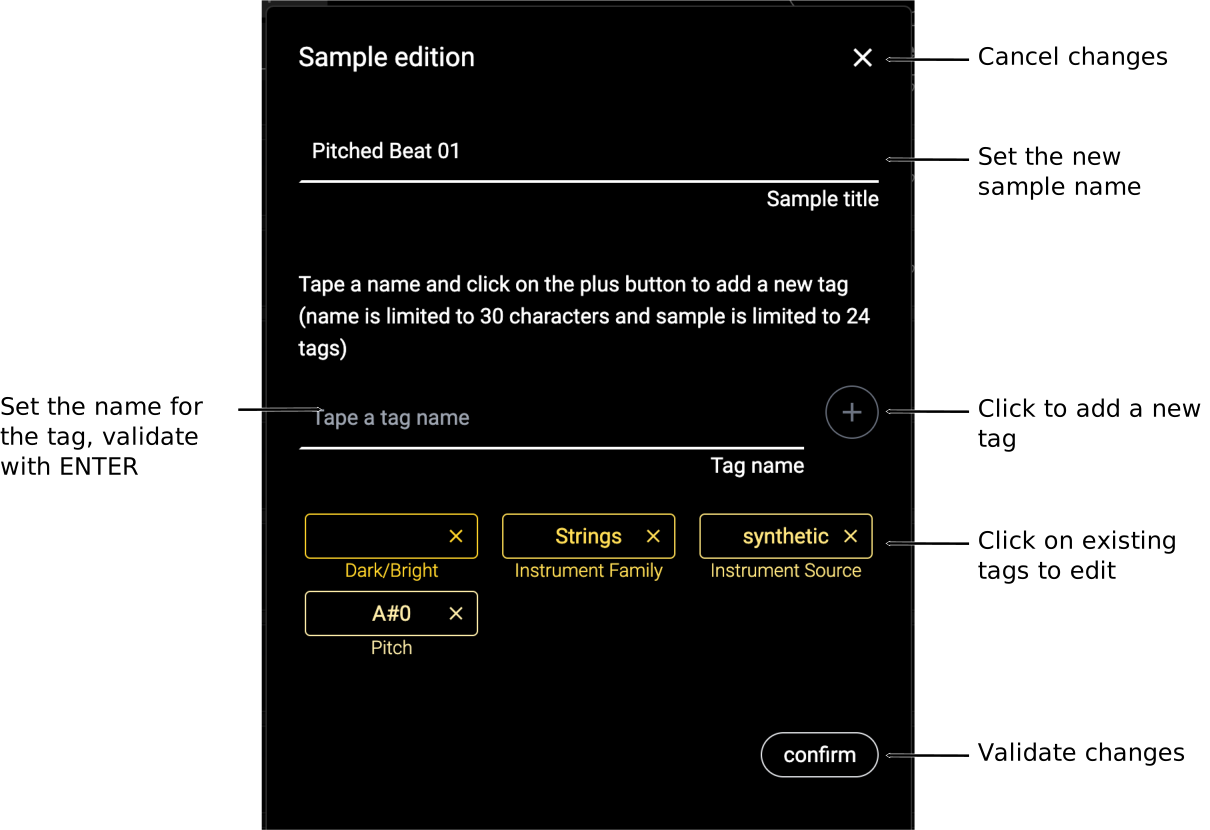
Edit sample metadata 
This popup allows the owner to modify the metadata associated with the sample. Tags can be defined to enable quick categorization, facilitating easier access both on the website and in your WoFi.
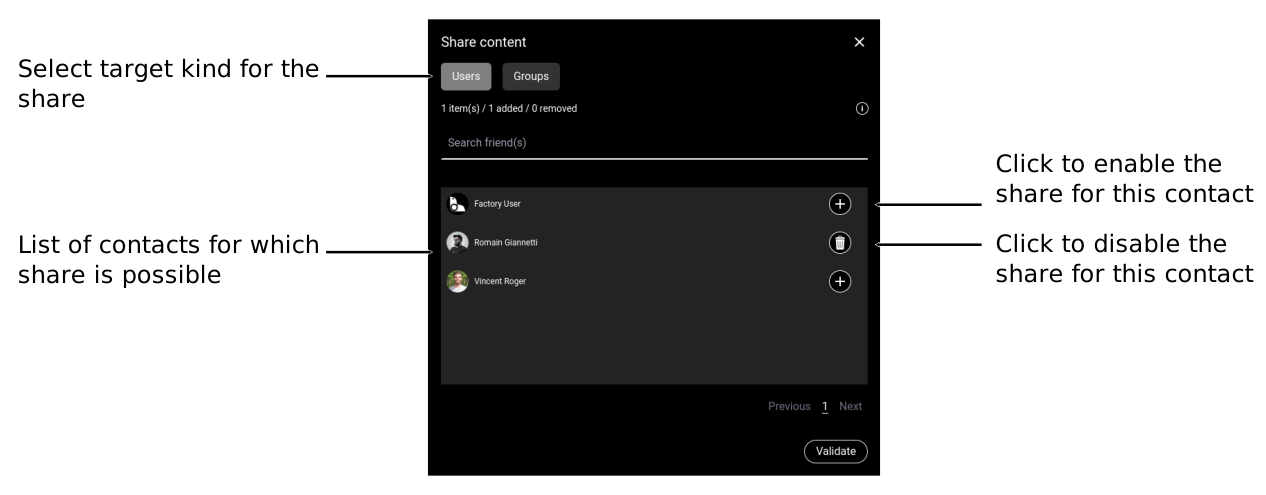
Share a sample 
The share is managed trough a share list:
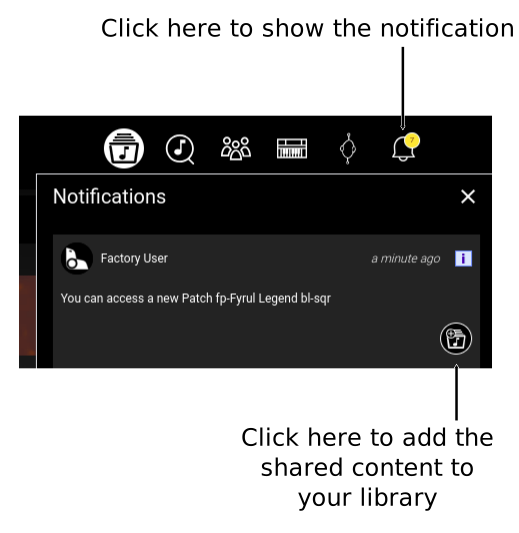
Accept sharing
When some contents is shared to you, it appears in the notifications.
Report a sample 
Samples that violates the terms of use can be reported:
- Offensive content
- Copyright infringement
The report request will be processed by our team dedicated to the platform.