Groups
In this tab, you can see/manage your groups on the platform, explore and manage their content.
It is composed of the following elements:
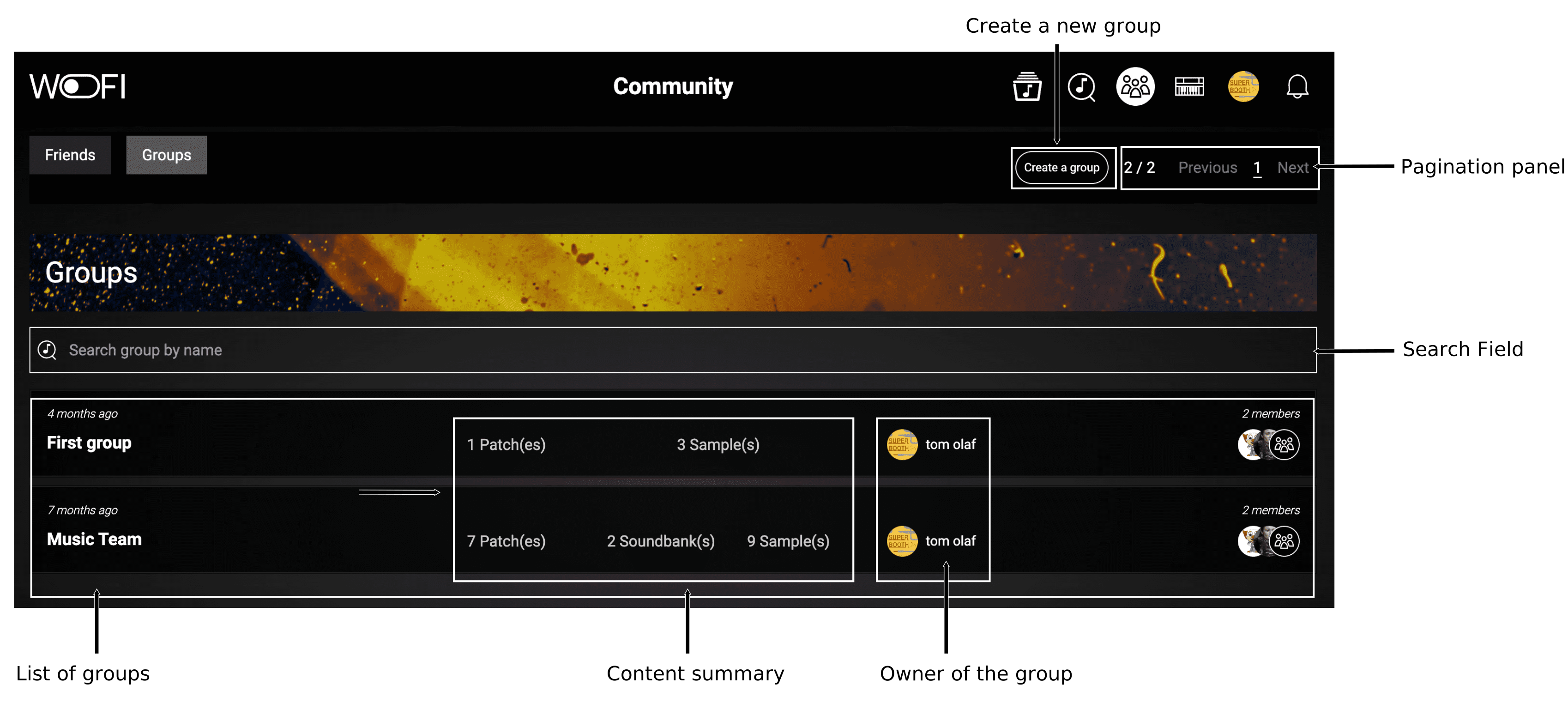
Creating groups allows you to share resources with members of that group. If you are invited in a group, you will have access to the content inside that group.
Create a group
In the group tab, just click on the Create a group button.
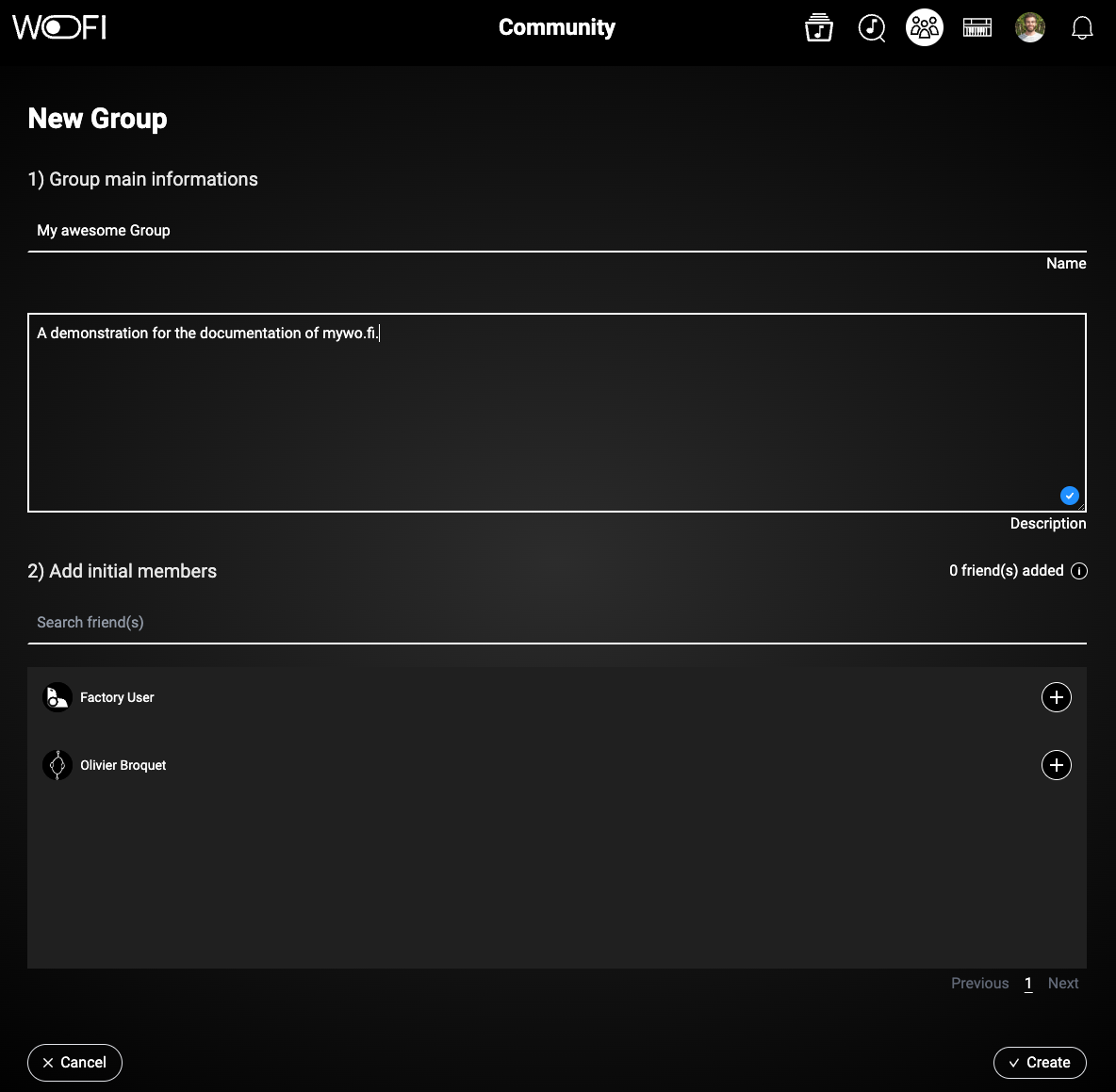
On the group creation page, you’ll need to provide a name for your group, write a short description, and optionally, you can add some of your friends to the group right away.
Manage a group
On a group page (you can enter a group page by clicking on a group from your group list), there are some actions possible if you are the owner:
| Icon | Name | Description |
|---|---|---|
 |
Edit Group | You can edit the group information, including the name and description. |
 |
Manage Members | You can manage group members, remove existing ones, and add new contacts to the group. |
Manage group content
If you are the owner of the group, you can manage the content of the group and see the following elements:
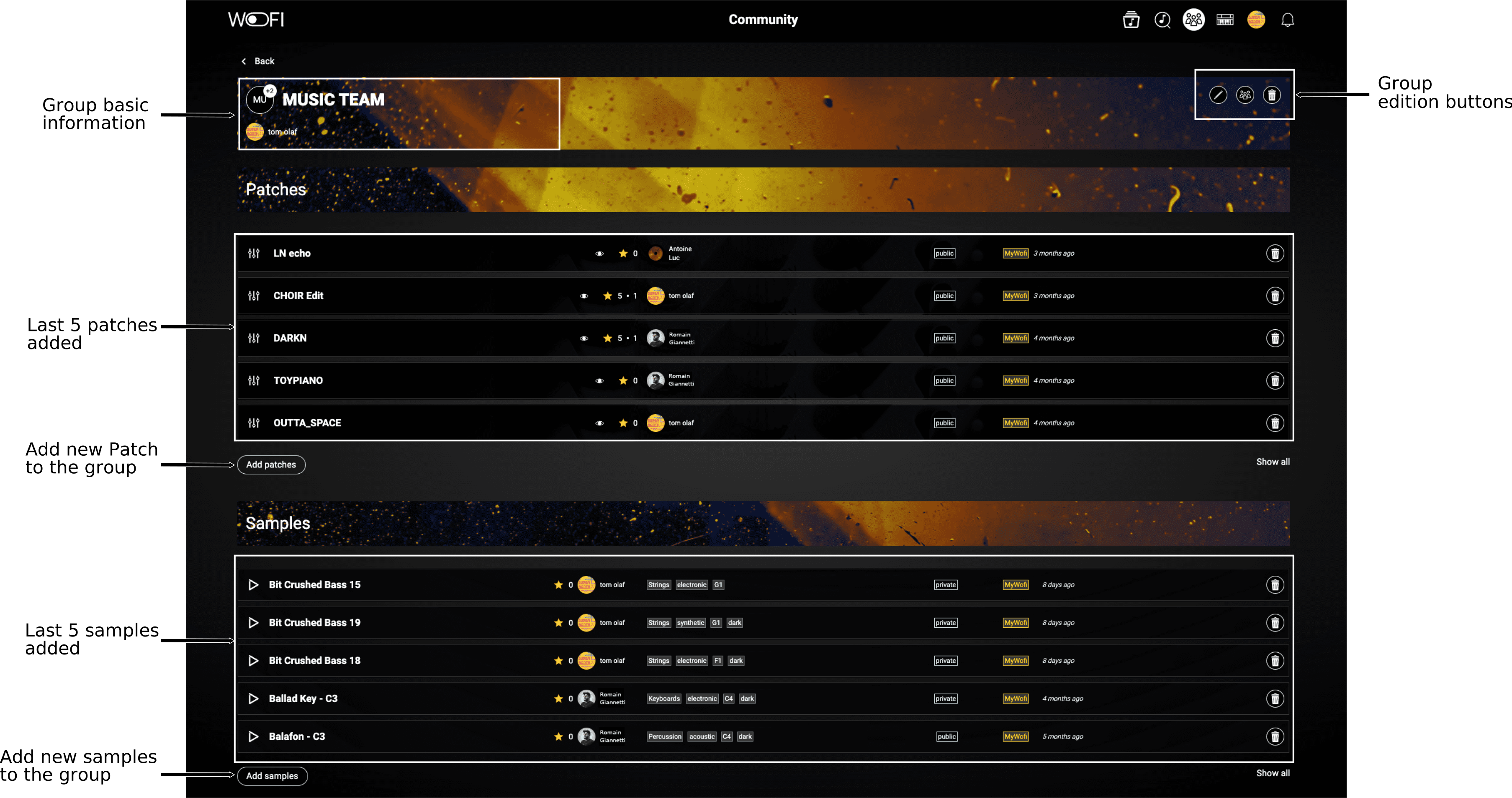
On this page, you have basic information like the group name, the owner of the group and some edition tools (the same as seen above) if you are the owner of the group.
Also, you have a view of the first 5 items from each category: samples, patches, and soundbanks within the group.
To access the complete list, click Show all.
Additionally, you can add new items from your library to the group by clicking the corresponding Add button under each category.