Soundbanks tab
Overview
A soundbank is a collection of patches that can be created by the user or retrieved from the Explorer view. The Soundbanks tab allows you to view and manage all of your soundbanks, as well as create new ones.
This tab is composed of the following elements:
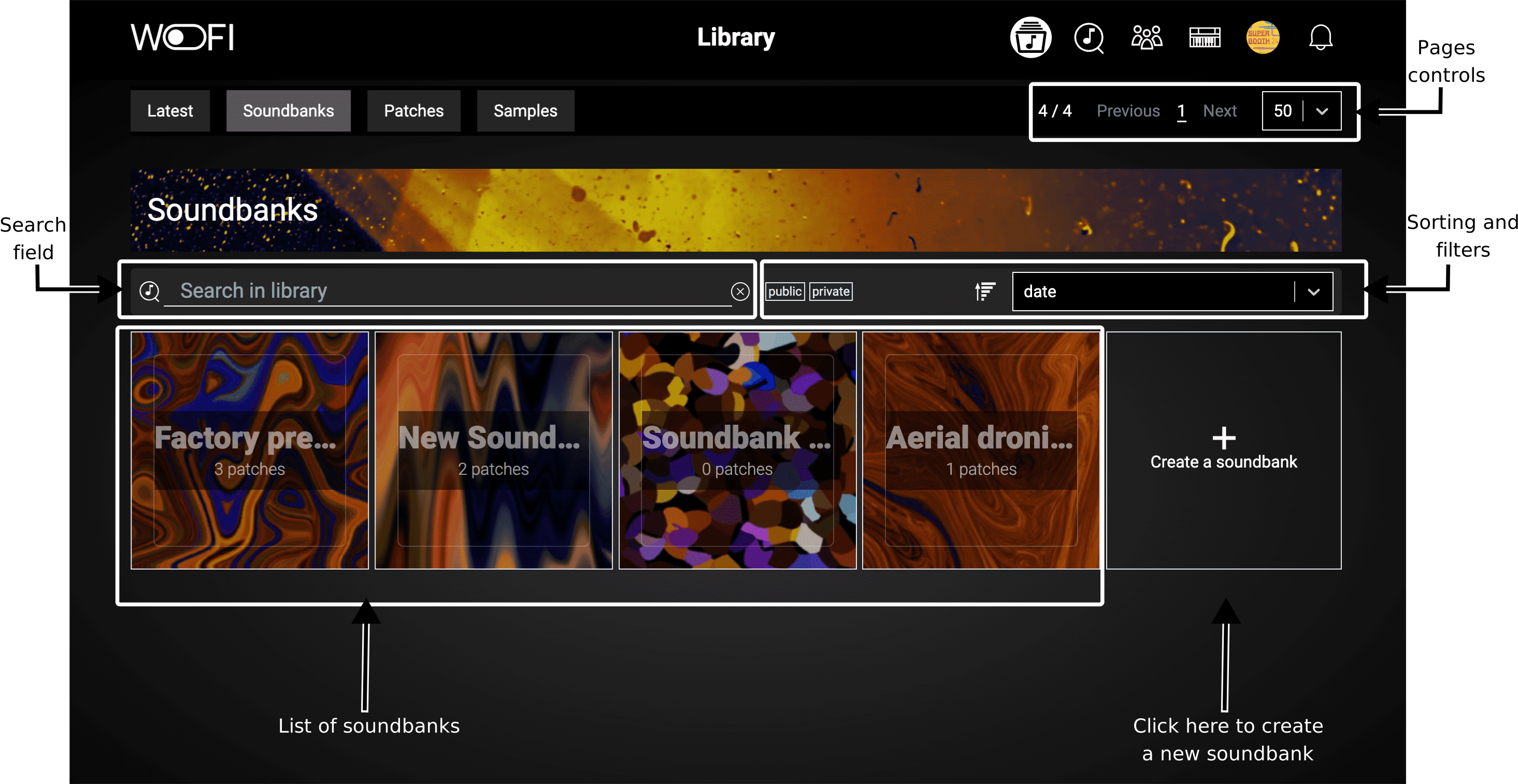
These elements have the following functions:
- Page Controls: Enable you to choose how many soundbanks to display per page and to navigate between pages.
- Search Field: Allows you to search through your soundbanks using specific keywords.
- Sort and Filter Options: Provide tools to sort and filter your soundbanks based on various criteria, helping you quickly find what you’re looking for.
- List of soundbanks: The results of your search and filters are displayed at the bottom of the page as vignettes, making it easy to browse through the relevant soundbanks.
You can also create new soundbanks directly from this view.
Create a soundbank
To create a new soundbank, click on “Create a Soundbank.” This will take you to the soundbank creation page, where you’ll be prompted to enter a name and description for your new soundbank:
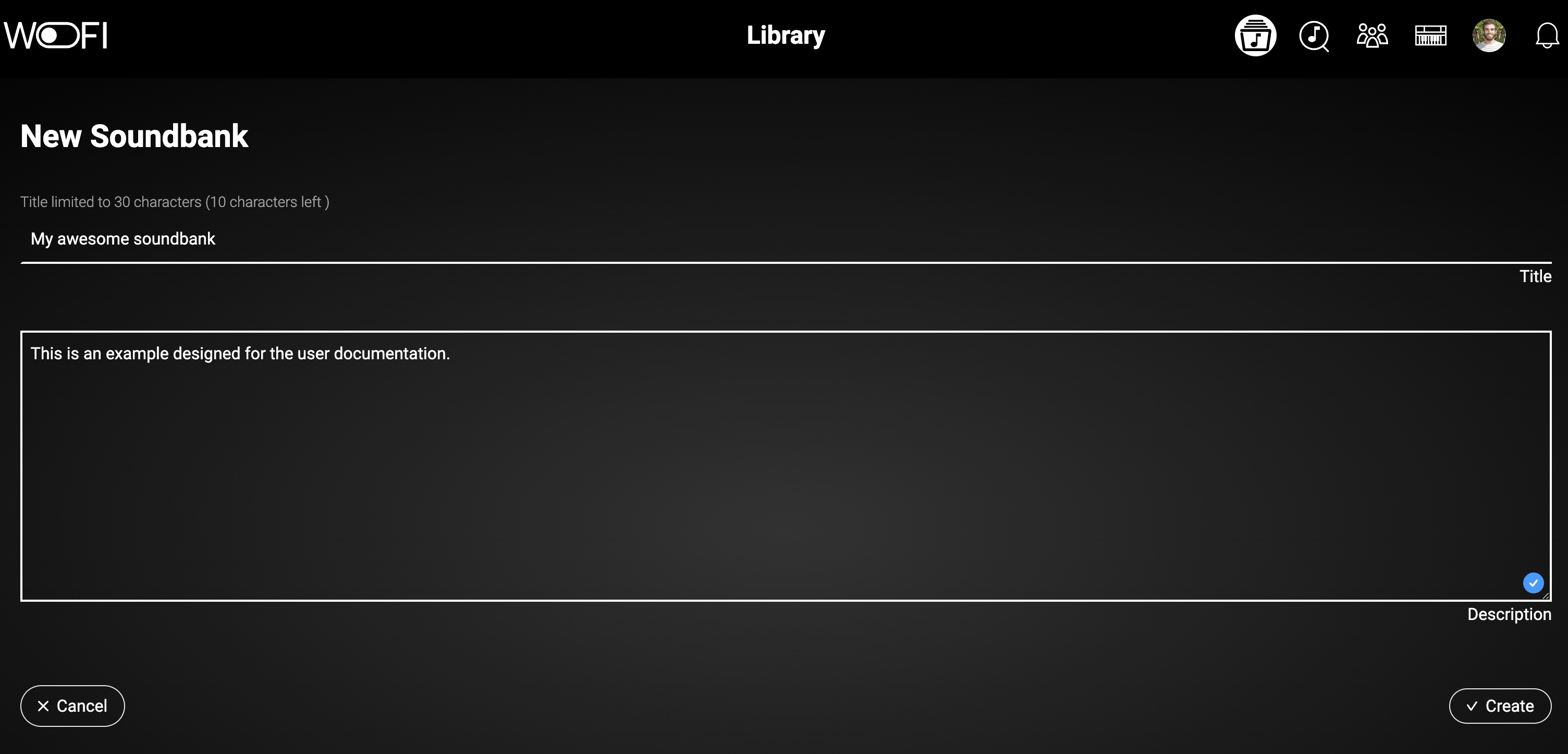
Once created, you can manage your soundbank by selecting it from the list from the previous page.
Manage your soundbank
When one of your soundbank is selected, you arrive to the following page:
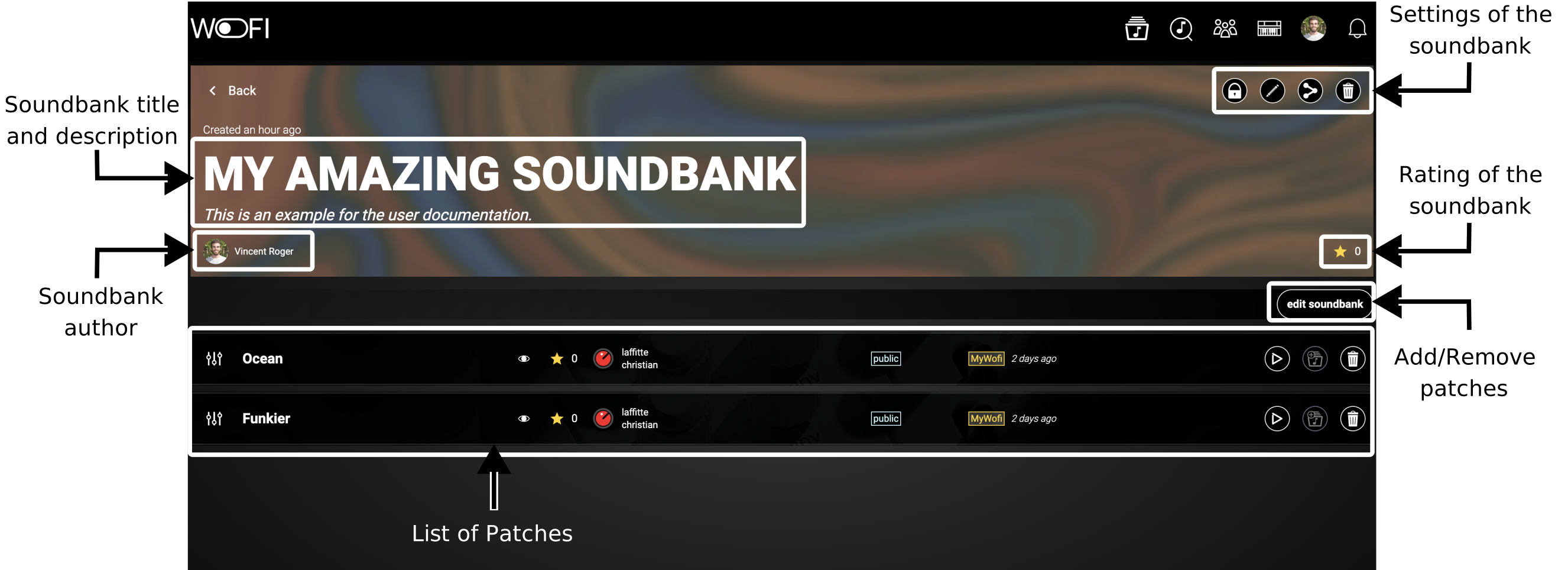
At the top, you’ll find the title and description of your soundbank, followed by the author’s name (which will be yours). Next to these, you’ll see the settings option (details covered in the next subsection). Below, you’ll find the rating of your soundbank, which you can rate yourself. Beside the rating, there’s a button to edit your soundbank, allowing you to add or remove patches. Finally, you’ll see a list of patches that make up your soundbank.
Soundbank settings
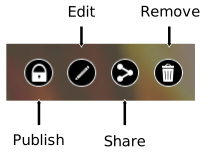
Here is a table that explains each setting:
| Icon | Name | Description |
|---|---|---|
 |
Publish | Set the visibility of your soundbank to public, making it accessible to the entire WoFi community. |
 |
Edit | Edit the soundbank's name and description to keep your content organized and up-to-date. |
 |
Share | Manage sharing options, allowing you to share the soundbank with specific users or groups. |
 |
Remove | Delete your soundbank if it's no longer needed. |
Soundbank edition
Clicking the Edit Soundbank button opens a popup where you can add or remove patches from your soundbank:
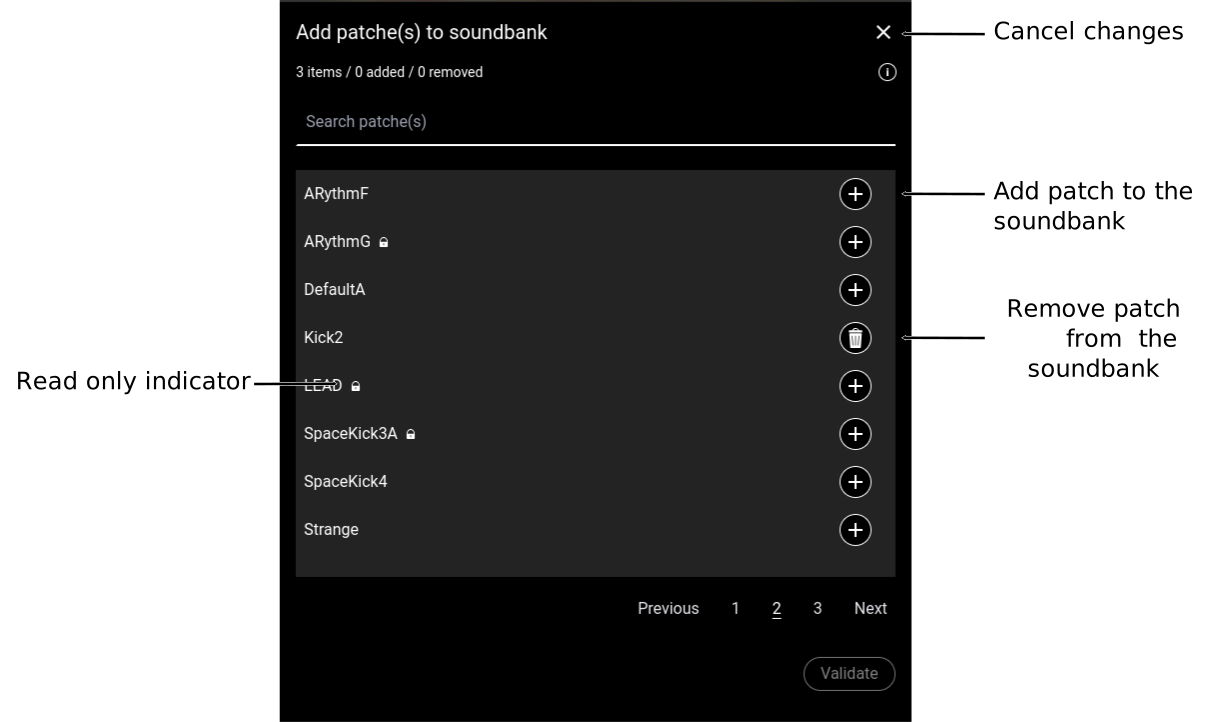
You can use the search bar to quickly locate specific patches, making it easier to find exactly what you need.