Updates
In this tab, you can review, download and install new firmware for your device. Even if you can downgrade your firmware, we recommend you to upgrade your firmware to have the last fix and new features.
The interface includes the following elements:
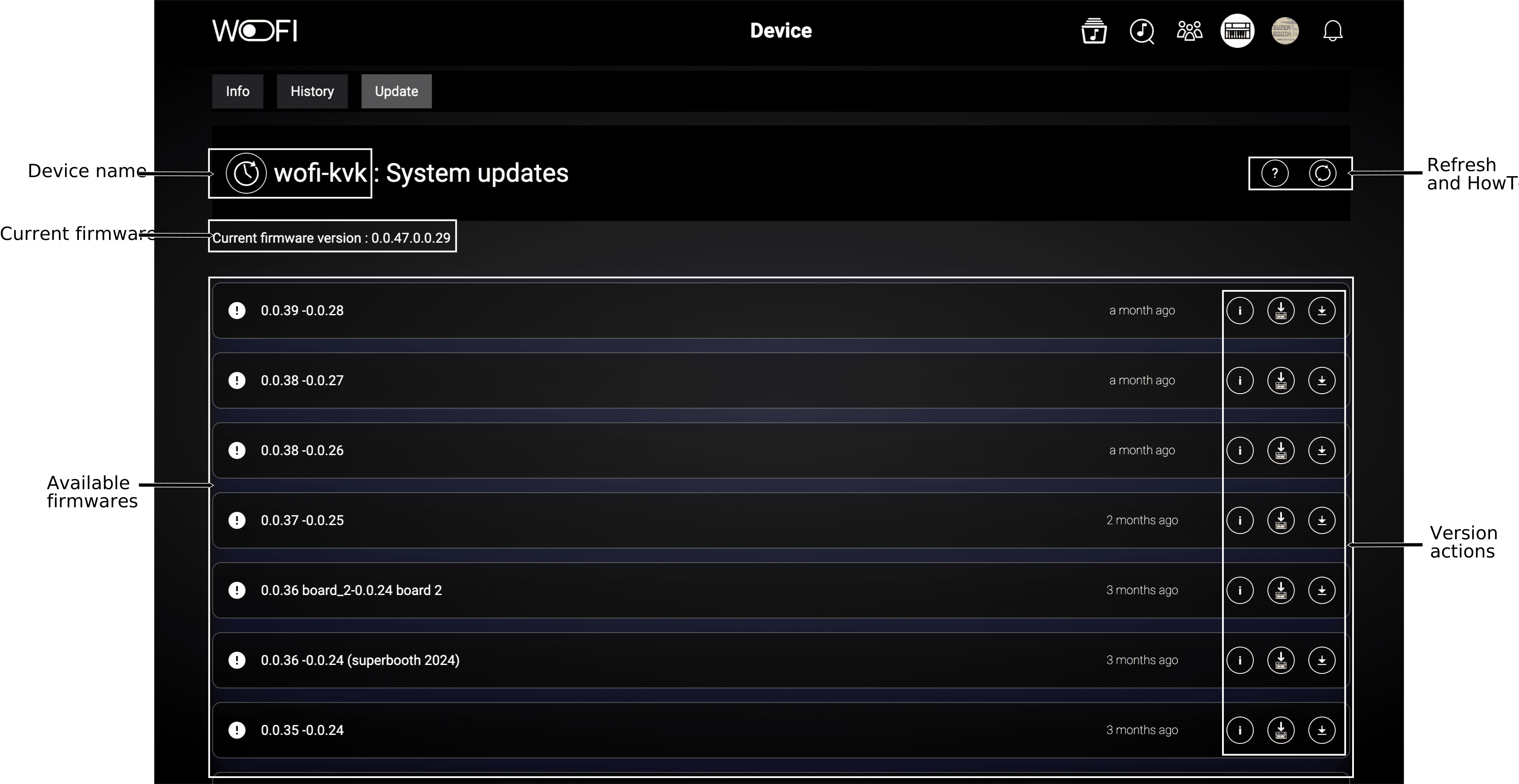
At the top right, you can refresh the device information and access a guide on how to install specific firmware (also available at the bottom of this page).
Firmware list

The format of the version if as follows: <master firmware version> - <link firmware version>
Here is a table summarizing all actions possible for a firmware:
| Icon | Name | Description |
|---|---|---|
 |
See Release Note | View the release notes for this firmware version. |
 |
Start Installation | Begin the firmware installation on the WoFi (only available for online devices). |
 |
Download Firmware | Download this firmware bundle to your computer's hard drive. |
The Install Firmware button is only available for online devices.
If your device is offline, you'll need to download the firmware to your computer first and refer to the WoFi manual for installation instructions.
Install the firmware directly
After clicking the Install Firmware button and the installation is complete, follow these steps to finalize the process:
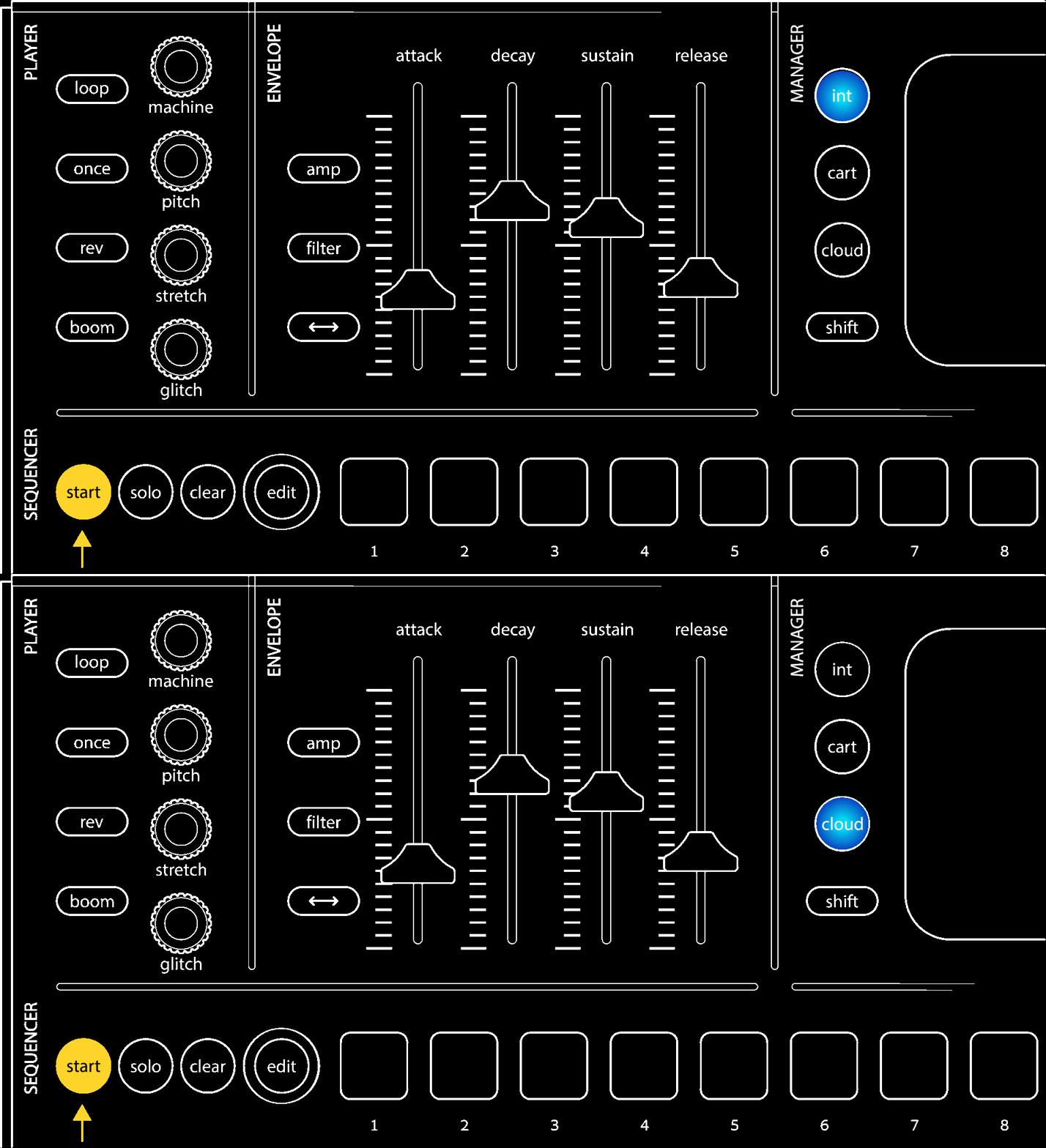
- First, reboot the WoFi holding the start button:
- Then, push the cloud button:
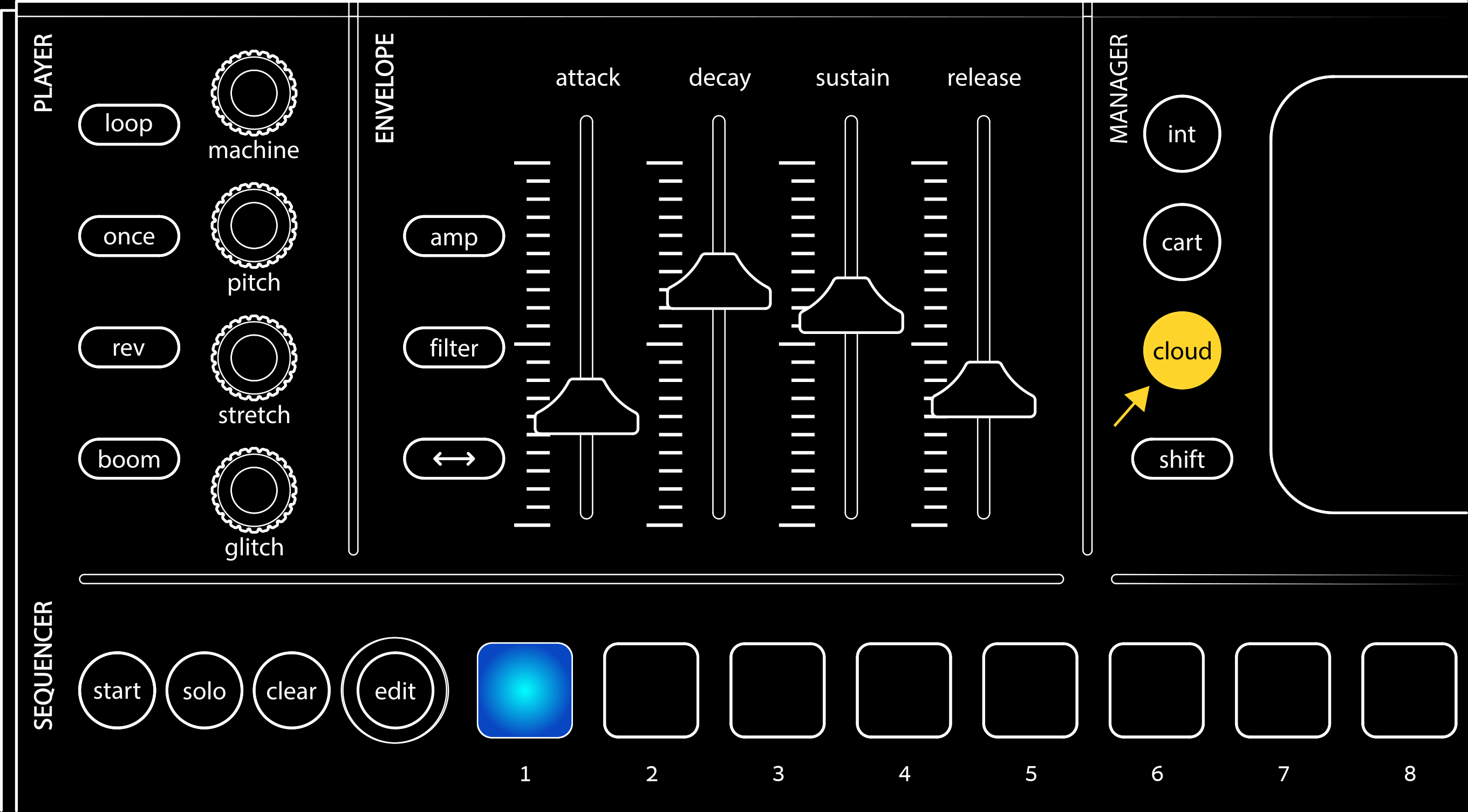
- Finally, push the first pad: