Friends
In this tab, you can see/manage your friends on the platform, explore their content, follow their activities, and manage friend requests.
It is composed of the following elements:
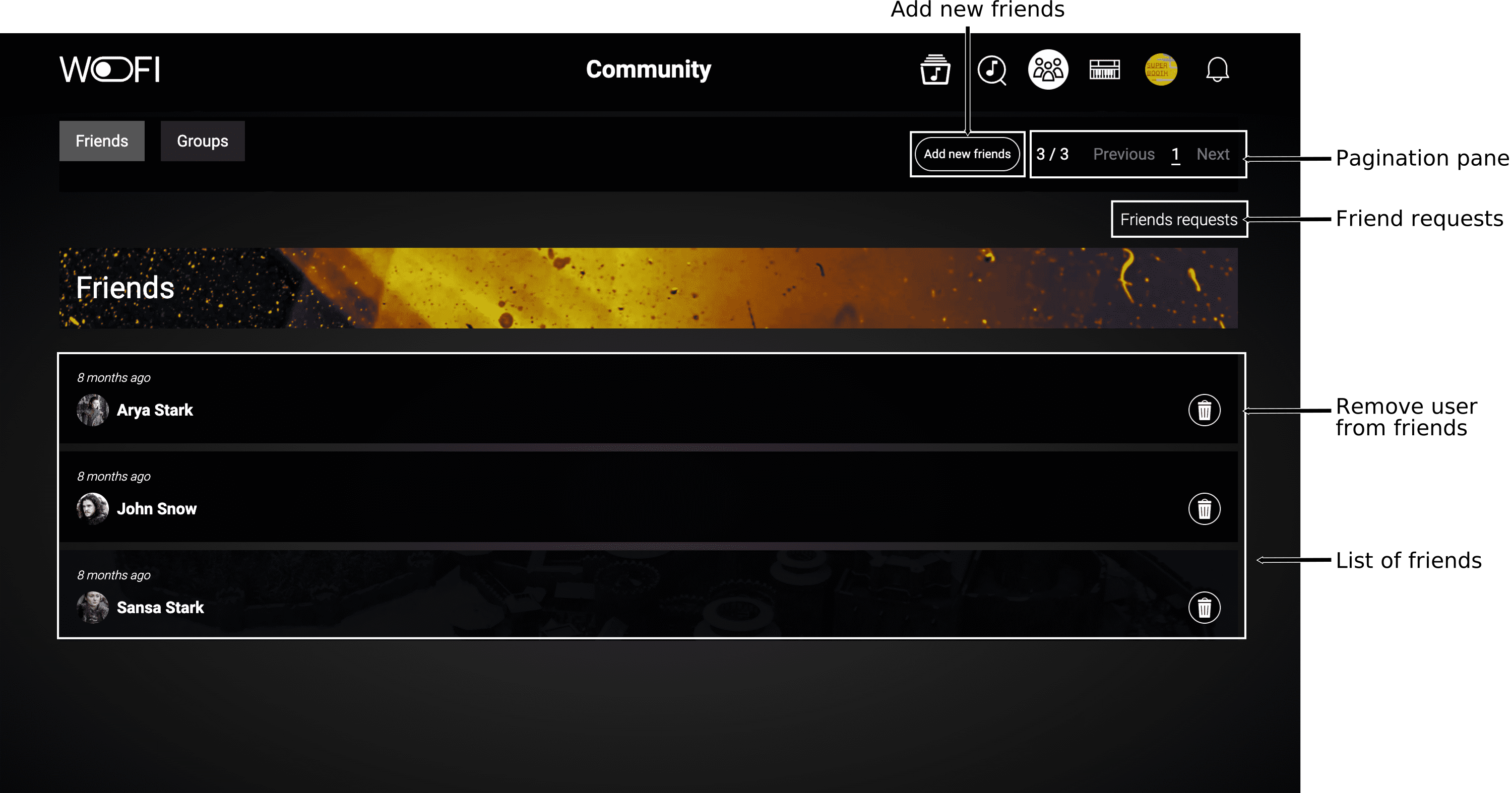
If you click on one of your friends, you can visit their page, there you can follow them and take some items from their public page.
You can also manage your friends and the users you follow from the profile page.
Adding friends
There are two ways to add friends :
- clicking on the button
Add to friendson a user page. - clicking on the button
Add new friendsfrom theFriendstab.
Add new friends from the Friends tab
By clicking on Add new friends button, you end up on this page:
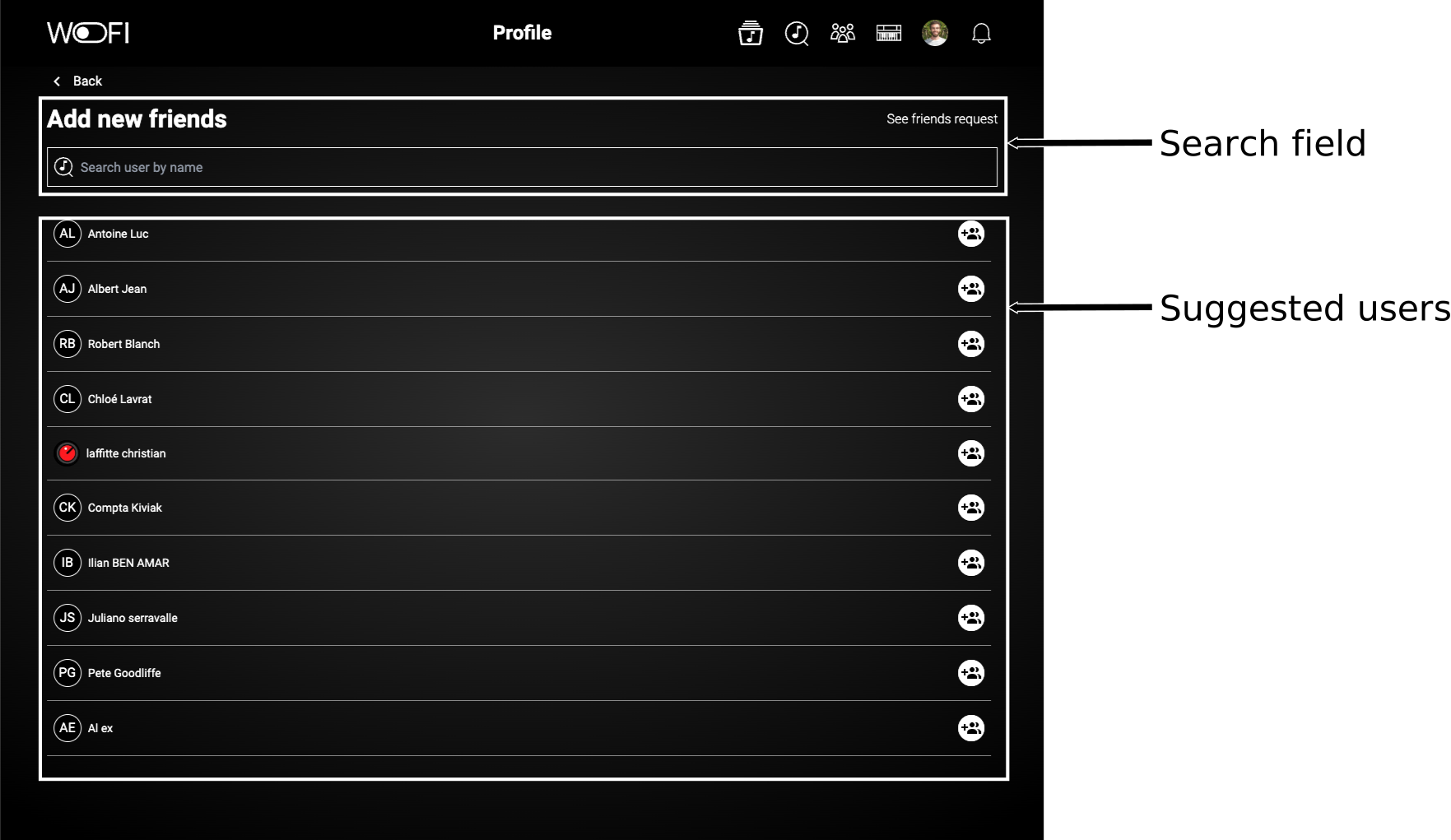
You can add friends from the suggested list or search for a specific friend by username. The suggested list will update to display the search results.