Patches
Concept
Patches store the set of parameters, current sample and possibly sequences in use in the WoFi at a time. It can be saved and recalled from the menu of the device.
From the Patch tab of mywo.fi it is possible to manage the patches, especially:
- Synchronize the contents between server and WoFi
- Backup and restore the paches to organize the memory of your device
- View the parameters
- Share with other users
- Add patch to soundbanks
Patch & Sample
A patch is linked to a sample. This sample follows the patch when it is synchronized with the online content, but link break can occur, for example if a sample used in a patch is erased.
In this case, the WoFi will use the last used sample, and the broken link will appear in the patch editing view in mywo.fi.
Most of the time, transferring again the sample will solve this issue. As a last resort, if the sample was erased both in mywo.fi and in the WoFi, the sample must be uploaded again and the patch saved.
Tab overview
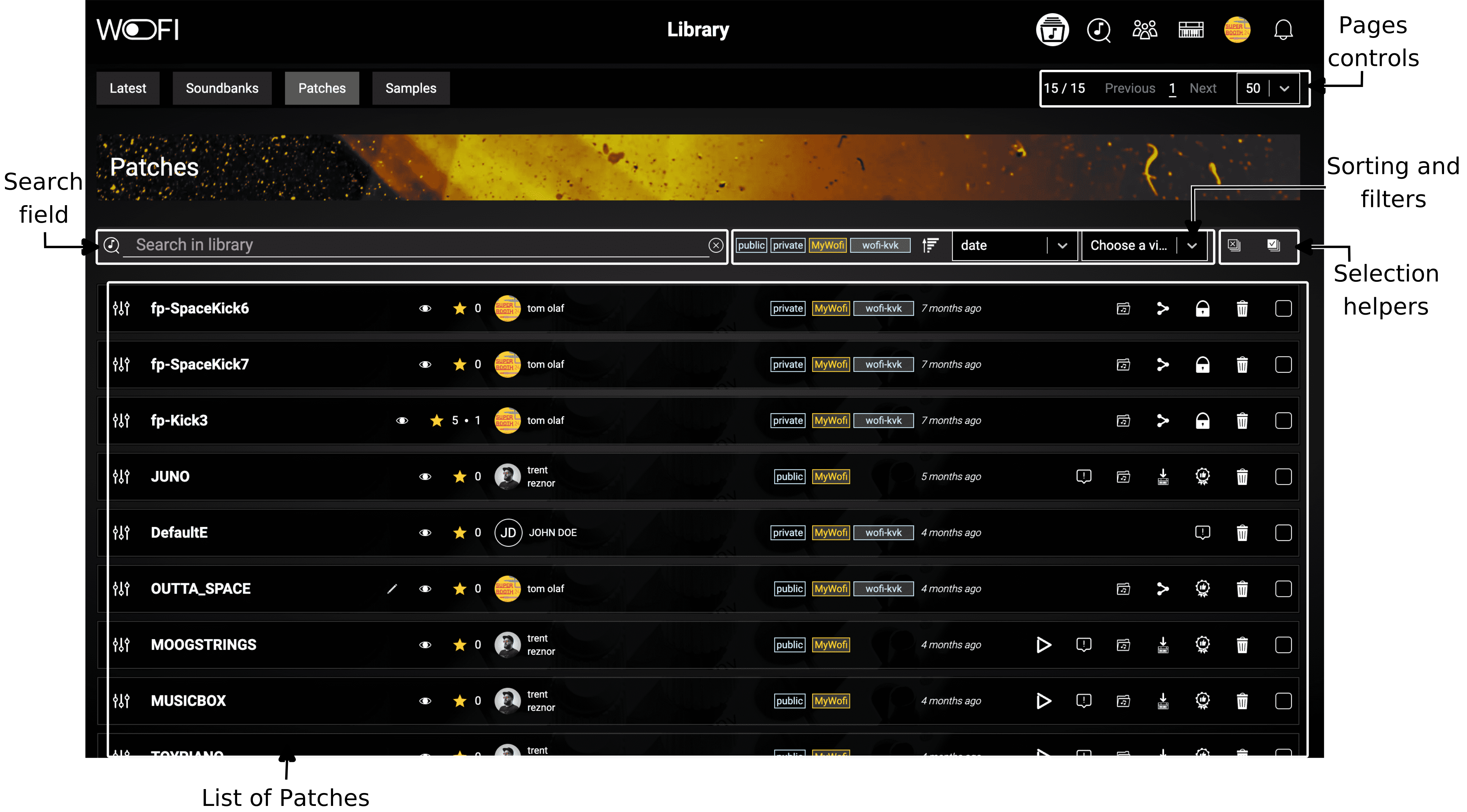
These elements have the following functions:
- Page Controls: Enable you to choose how many patches to display per page and to navigate between pages.
- Search Field: Allows you to search through your patches using specific keywords.
- Sort and Filter Options: Provide tools to sort and filter your patches based on various criteria, helping you quickly find what you’re looking for.
- Selection helpers: These buttons allow you to easily select all patches in the table or deselect all currently selected rows.
- List of patches: The results of your search and filters are displayed at the bottom of the page as a table, making it easy to browse through the relevant soundbanks.
Patches actions
Each row of the list of patches is composed of the following elements:

Next, you will find details for each element.
Patch preset
After clicking that button, the page updates to display the WoFi preset, giving you a reproduction of the WoFi layout as shown below:
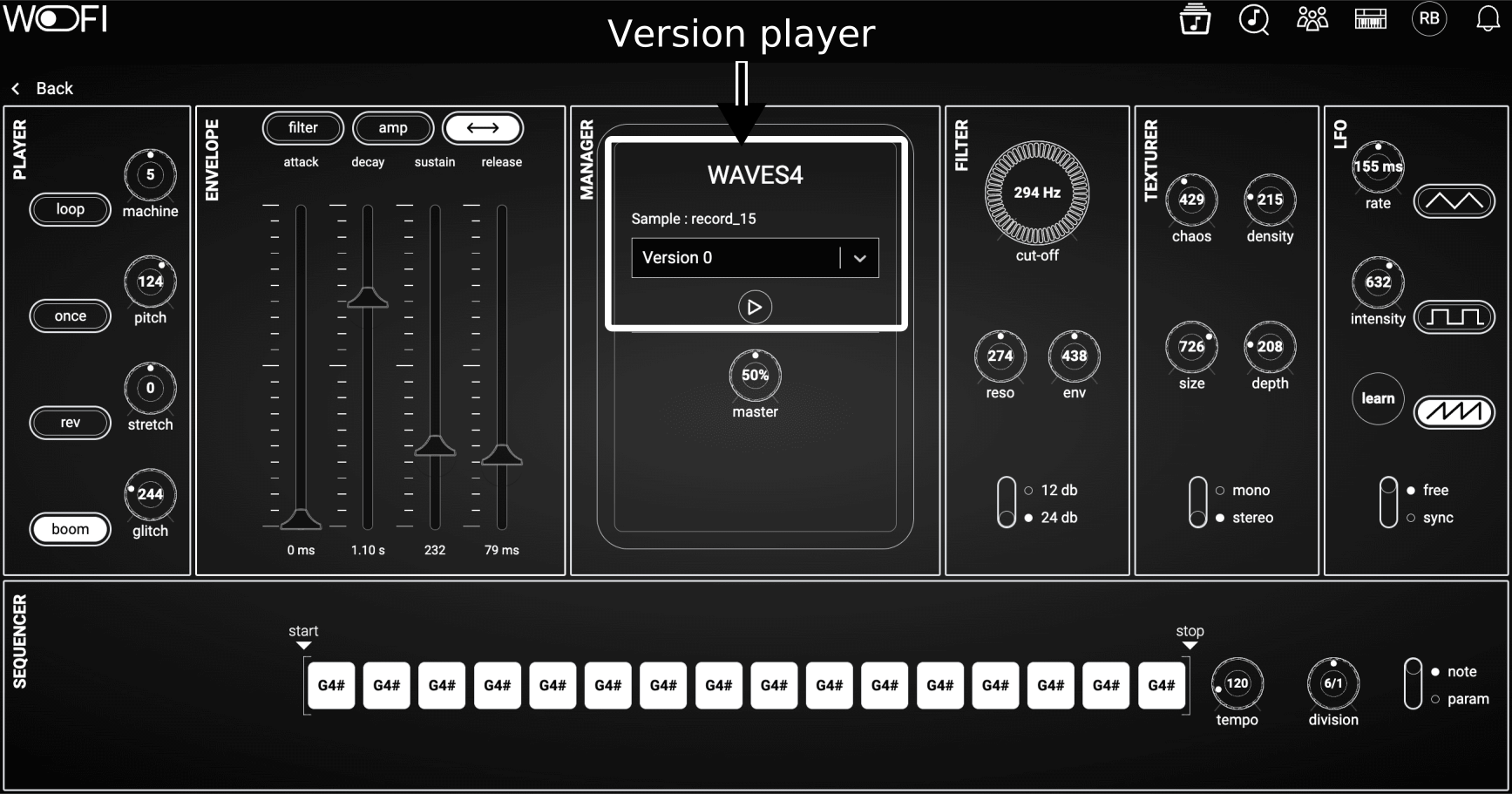
Currently, presets cannot be modified through this interface. However, you can play the preset and select different versions of the sample using the controls located at the top center.
Patch information
It starts from the patch name, finish with the creation date and contains the following elements in the middle:
| Icon | Name | Description |
|---|---|---|
 |
Edit Name | Rename a patch (only appears if you are the owner). |
 |
View Details | View detailed information about the patch. |
 |
Patch Rating | Patch rating (click to review or update your rating). |
 |
Author Information | Displays the author’s avatar and name. |
 |
Visibility Information | Indicates the patch’s visibility groups and overall platform visibility. |
Patch actions
| Icon | Name | Description |
|---|---|---|
 |
Play | Play the associated sample. |
 |
Share | Share a patch with someone, a group or to all users (available if it is not your patch). |
 |
Report Patch | Report the patch (available if it is not your patch). |
 |
Add to Soundbank | Add the patch to a soundbank. |
 |
Send to WoFi | Send the patch to your WoFi device (available if applicable). |
 |
Save from WoFi | Save the patch from your WoFi to mywo.fi (available if applicable). |
 |
Recommend Patch | Recommend the patch to others (only for public resources). |
 |
Remove Patch | Remove the patch from your library. |
Selection button
Selecting multiple samples allows you to perform actions on all selected samples simultaneously. For now, it can be the remove from library action.
Share a patch 
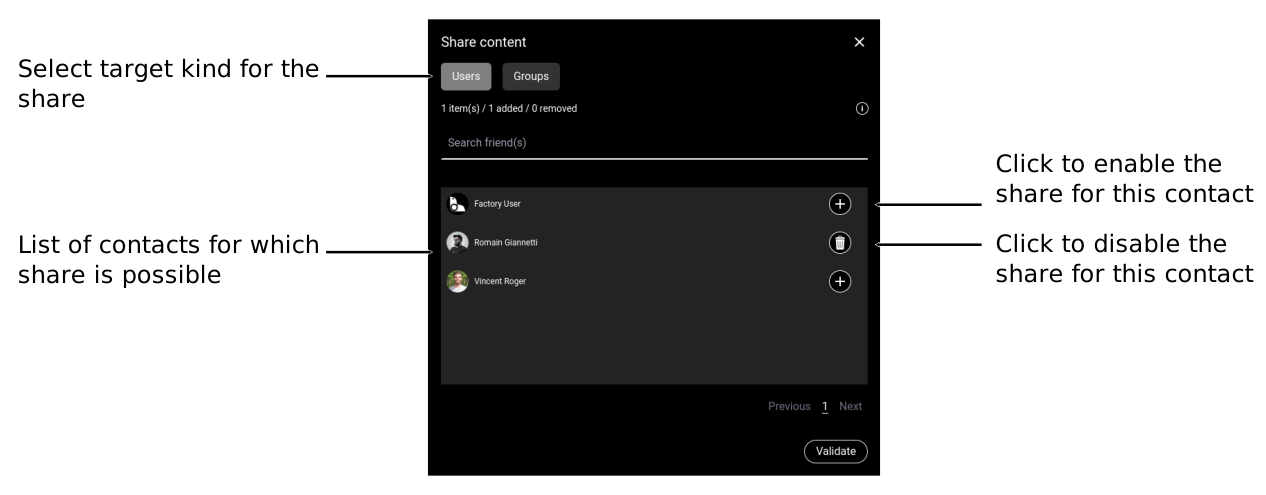
The share is managed trough a share list:
Accept sharing
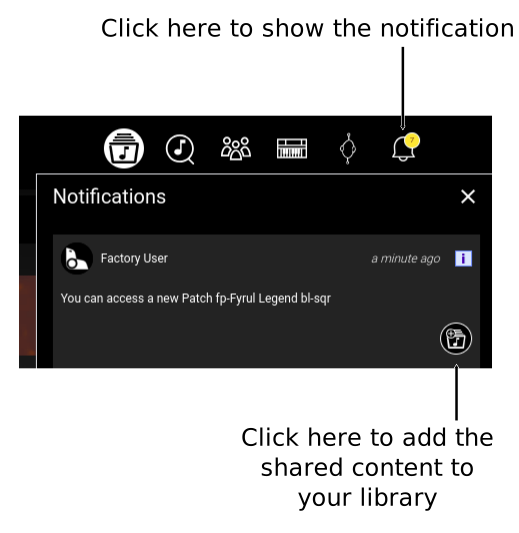
When some contents is shared to you, it appears in the notifications.
Report a patch 
Samples that violates the terms of use can be reported:
- Offensive content
- Copyright infringement
The report request will be processed by our team dedicated to the platform.