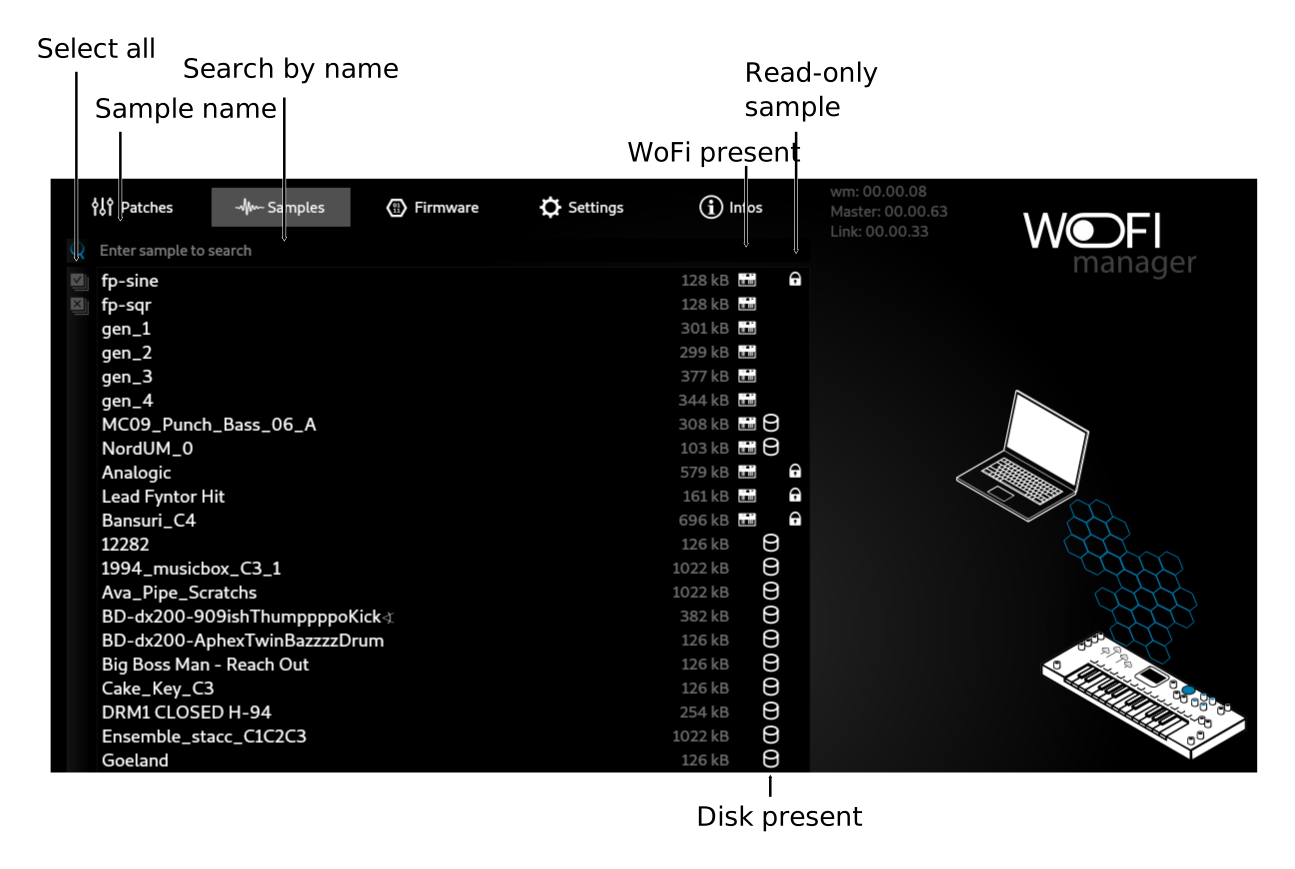
Sample list view
This view shows all the samples present either in the working folder and in the WoFi
Add new file to your local folder:
Drag and drop wave files to the application. Wav file format must be 48kHz.
Only first track will be used if the file is stereo
The bottom toolbar allow basic sample action:
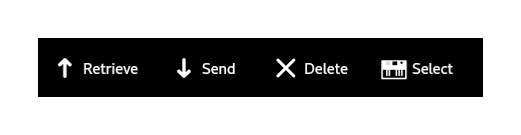
Send a sample to the device
- Select one or more file present on the disk
- Click on Send
- Wait the end of the progress animation
Retrieve samples from the device
- Select one or more file present on the WoFi
- Click on Retrieve
- Wait the end of the progress animation
Delete a sample
- Select one or more samples
-
You will be prompted for confirmation iof the location of the file you want to remove:
-
WoFi
- Disk
- Both
Select a sample
Click on Select to select a sample on your device