History
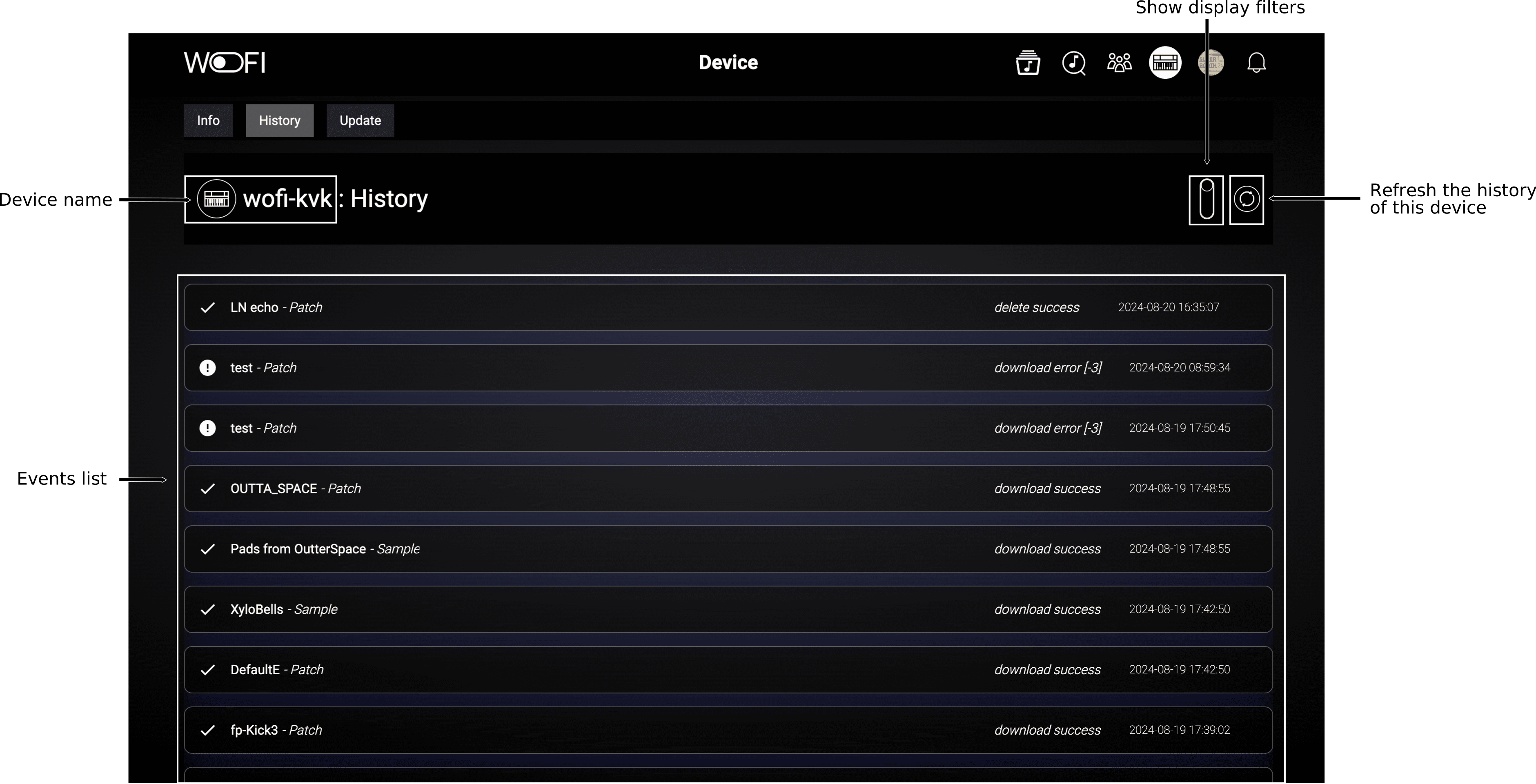
In this tab, you can review all events related to interactions between your WoFi device and the mywo.fi platform. This includes both successful actions and any failures, along with detailed error messages.
The interface includes the following elements:
History items

There are two possible statuses for an action: success or failure, as shown in the following table:
| Icon | Name | Description |
|---|---|---|
 |
Error | Indicates an error occurred during an interaction, with an accompanying error message. |
 |
Success | Indicates a successful interaction between your WoFi device and the mywo.fi platform. |
Filtering the history
By clicking on the toggle button for the filters you gain access to these filters:

These filters allow the user to, from left to right: filter the history by status, by command type, and by file type.