Search zone
The Search Zone provides several tools for easy navigation through the sample, patches and soundbanks lists.
It is composed of the following elements:
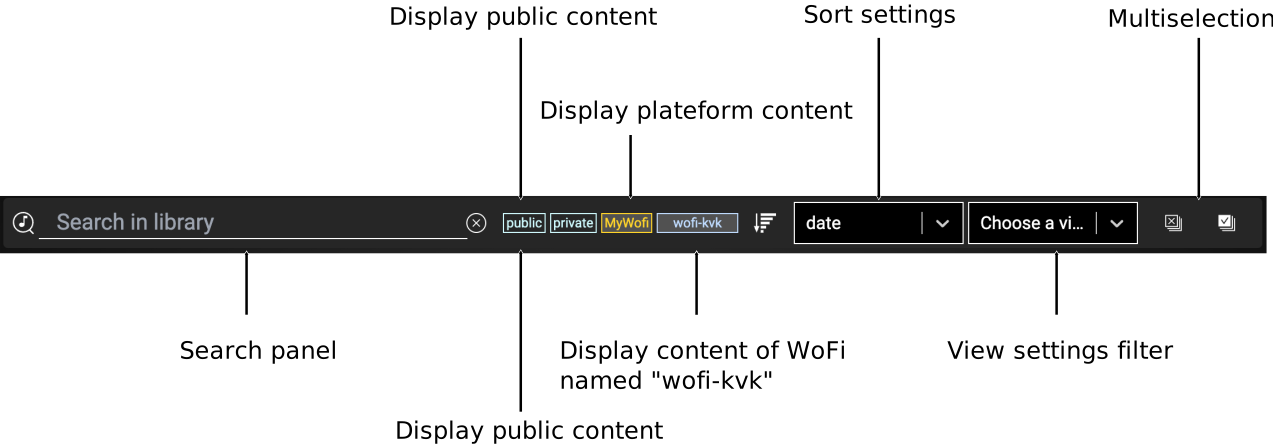
These elements help you to:
- Search by text within the list given names, tags or creators.
- Control the display of sample/patches/soundbanks categories.
- Sort samples/patches/soundbanks by various criteria.
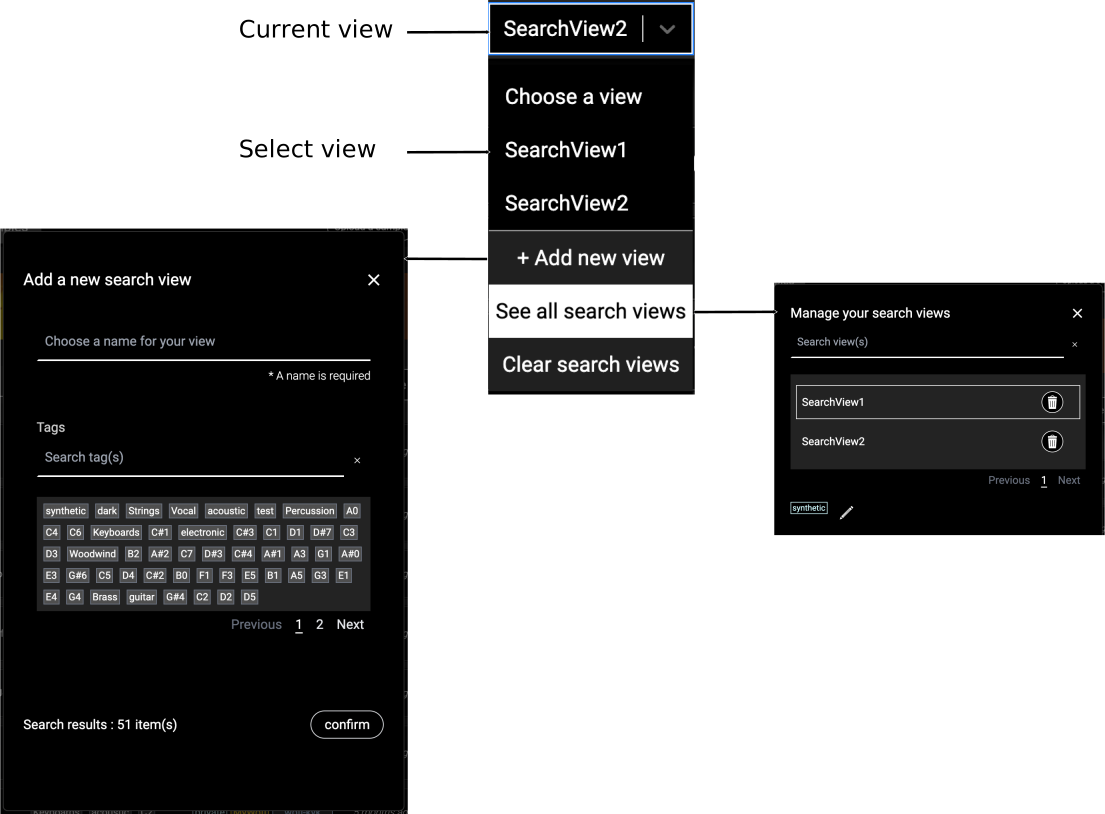
You can also save your display settings as a View for quick access in the future.
The global selection controls allow you to select all items or deselect any that are currently selected.
Filter by category
Click on the filters to select which categories are displayed in the list.
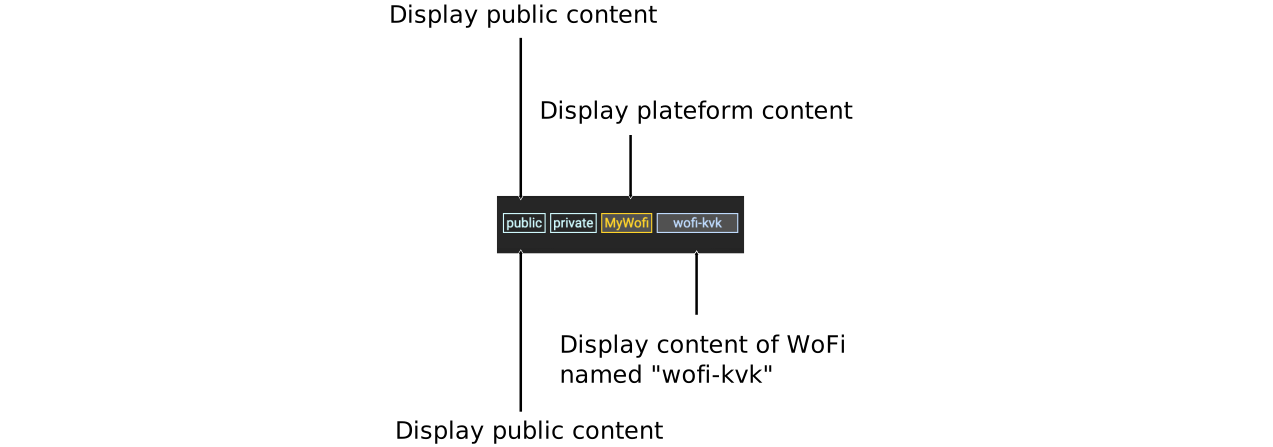
- Public: Displays all public samples.
- Private: Displays all samples that are not published.
- MyWoFi: Displays content stored on mywo.fi platform.
- The remaining categories represent the WoFi devices paired to your account.
!!! info "Note" By default, the content from a WoFi device will not be enabled unless the device is connected.
Sorting options
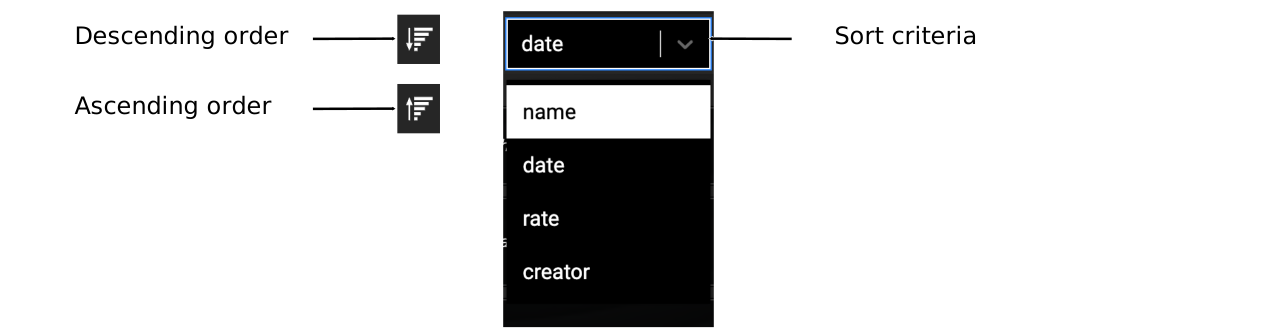
The list can be sorted in either ascending or descending order based on the following criteria:
- Name: The name of the item.
- Date: The creation date of the item.
- Rating: The average rating of the item.
- Creator: The author of the item.
This is illustrated in the figure below:
Views
The filter parameters of your search can be saved as presets, called Views. These views can be managed through the View drop-down menu:
Working with multi selections
Multi-selection allows you to apply the same action to several patches, samples, or soundbanks simultaneously. However, only similar content can be selected at the same time, meaning they must have:
- The same visibility (public or private).
- The same owner.
- Be either on the platform (mywo.fi) side or the WoFi side.
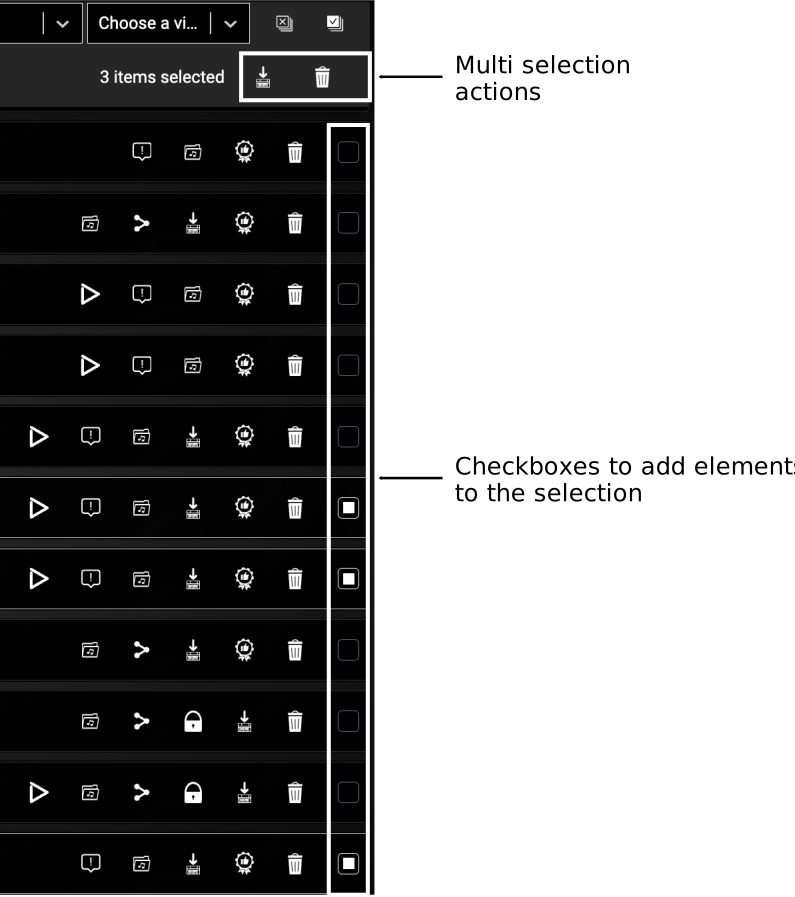
Available actions include sending content to your WoFi, downloading to mywo.fi, sharing, editing visibility, or removing patches, samples, or soundbanks.