Library
The Library view is the place where appears all the content of the account. It allows to manage, organize, and synchronize the content between the platform and your WoFi device.
You can navigate through multiple tabs to access and manage your content, with the "Latest" tab being the default. Below is an example highlighting the location of these tabs:
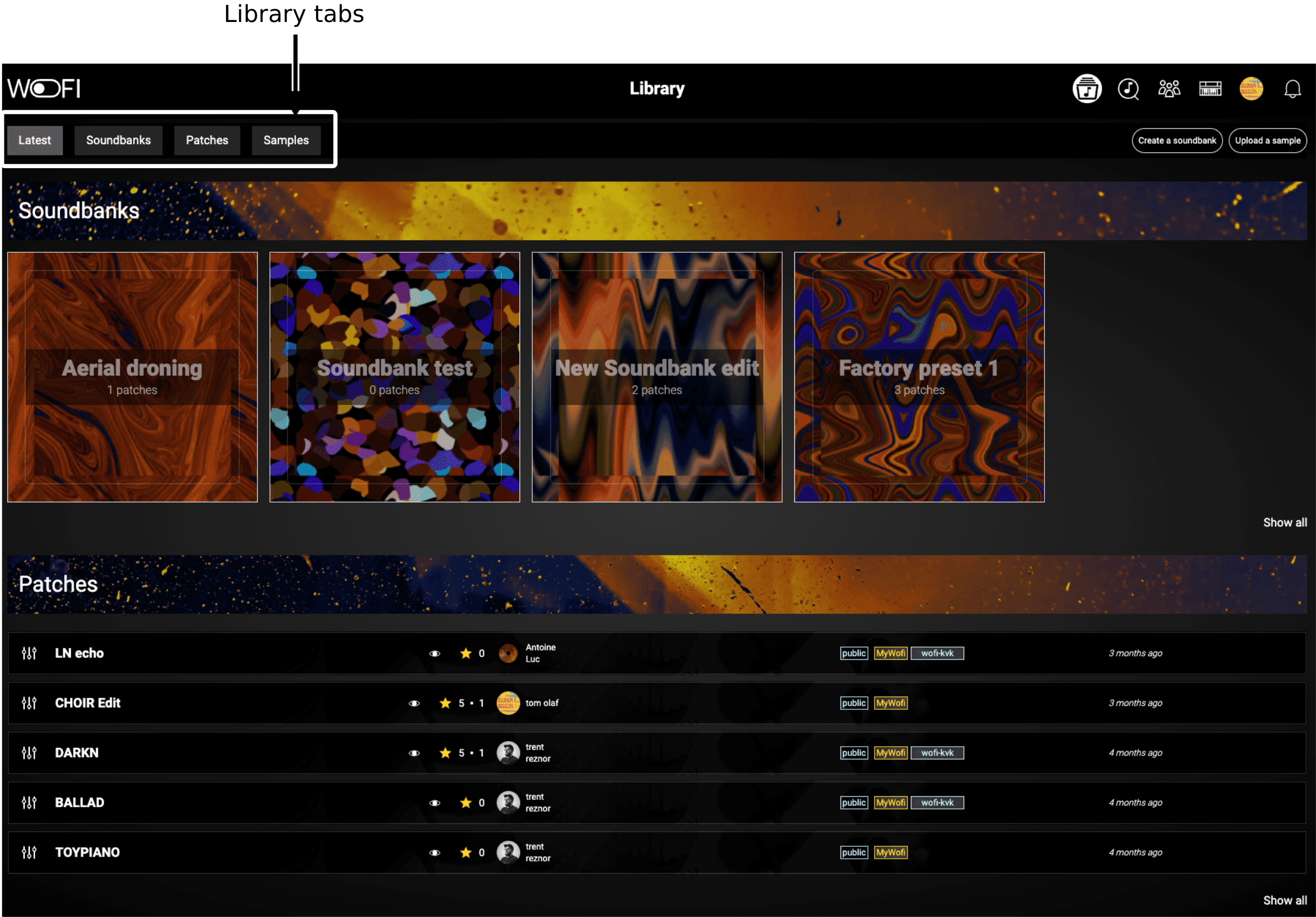
Library tabs
Here is an overview of each tab:
- Latest: Displays the most recently added or modified content in your library.
- Soundbanks: Organize and manage your collection of soundbanks.
- Patches: Access and edit your patches within the library.
- Samples: Browse, manage and edit all the samples stored in your library.
In the last three tabs, you will find a Search Zone to help you quickly locate the best items for your needs.
Things to be aware of
Visibility
By default, all elements in your library are private when created. You can choose to make them public, allowing them to be accessible to the entire WoFi community.
Public resources will appear in the Explorer section for everybody. Anyone can add these contents to their own libraries and use them freely, even if you choose to delete them from your library later.
Private resources are only visible by the owner and the friends to which the content was shared.
Sharing
You can share any resources in your library, whether they are private or public. Sharing is possible with individual users or groups of users.
Groups
You have the option to create groups of users, enabling shared access to patches, samples, and soundbanks, whether private or public. Any content shared within a group can be added to your library.
Ownership
As the owner of a resource, you have full control over it. This includes the ability to edit samples, rename samples or patches, make content public, share it with others, or remove it from your library.